
Chess in JavaFX
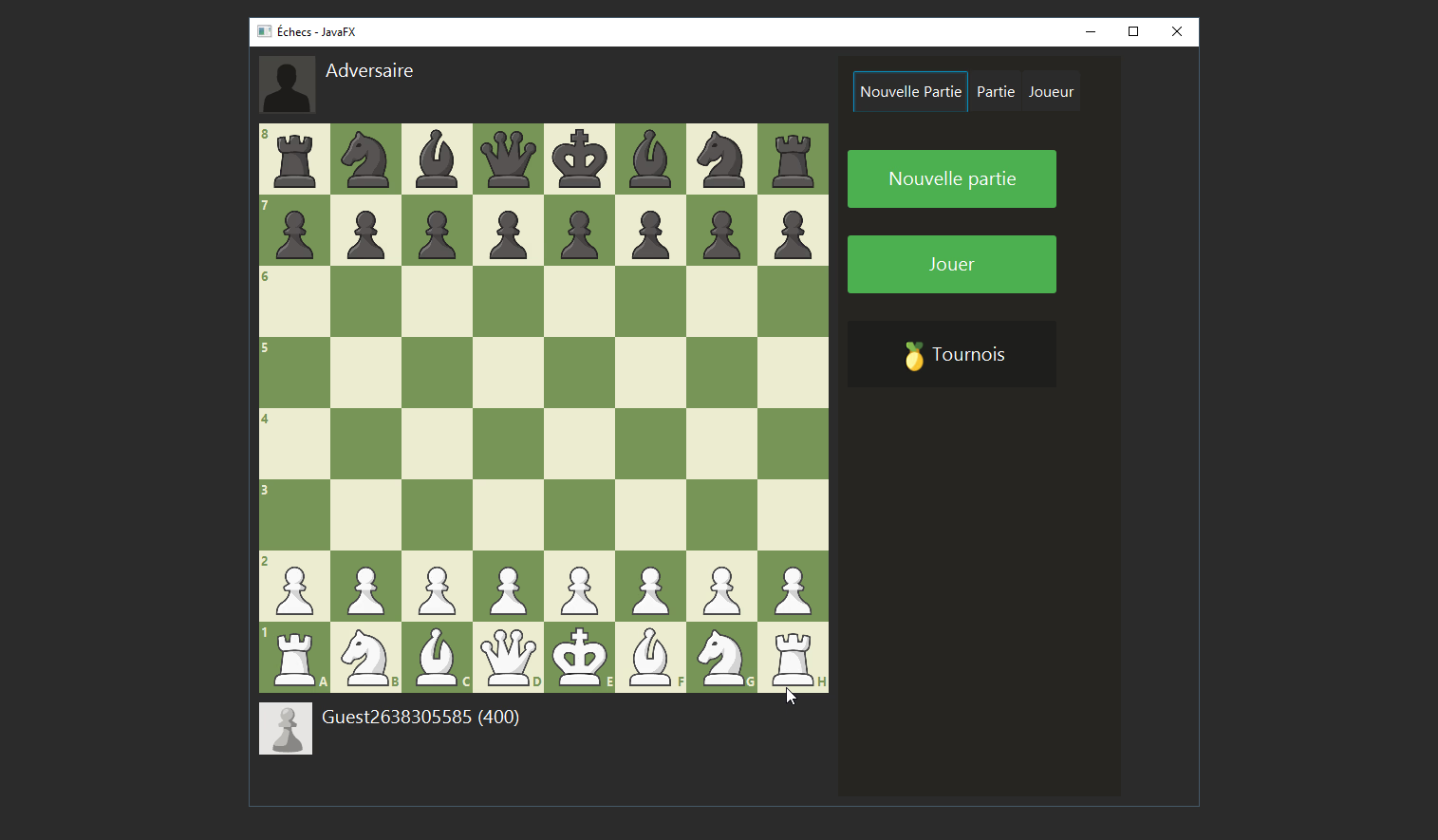
Project Overview (June 2024)
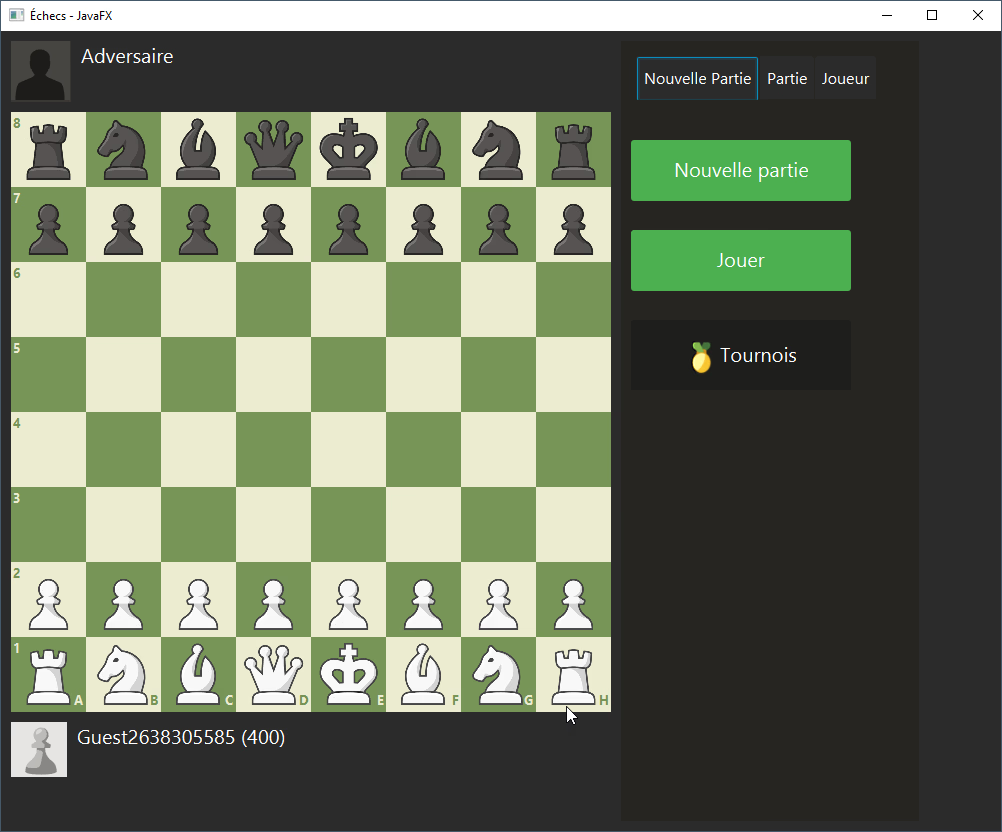
We had a collaborative university project (a SAÉ) in which we had to reproduce a screenshot of the Chess.com website in JavaFX. We worked as a team of four on this project: Youssef E., Maxime A., Baptiste A., and myself. We were not required to reproduce the complete behavior of the chess game, only the moves and a few other features (tournament, playing against a computer making random moves…). As part of this project, we had to comply with certain constraints, such as:
- Provide commented, versioned, and documented code;
- Implement the MVC model;
- Provide analysis and design diagrams;
- Provide tests;
- Apply good ergonomic practices.
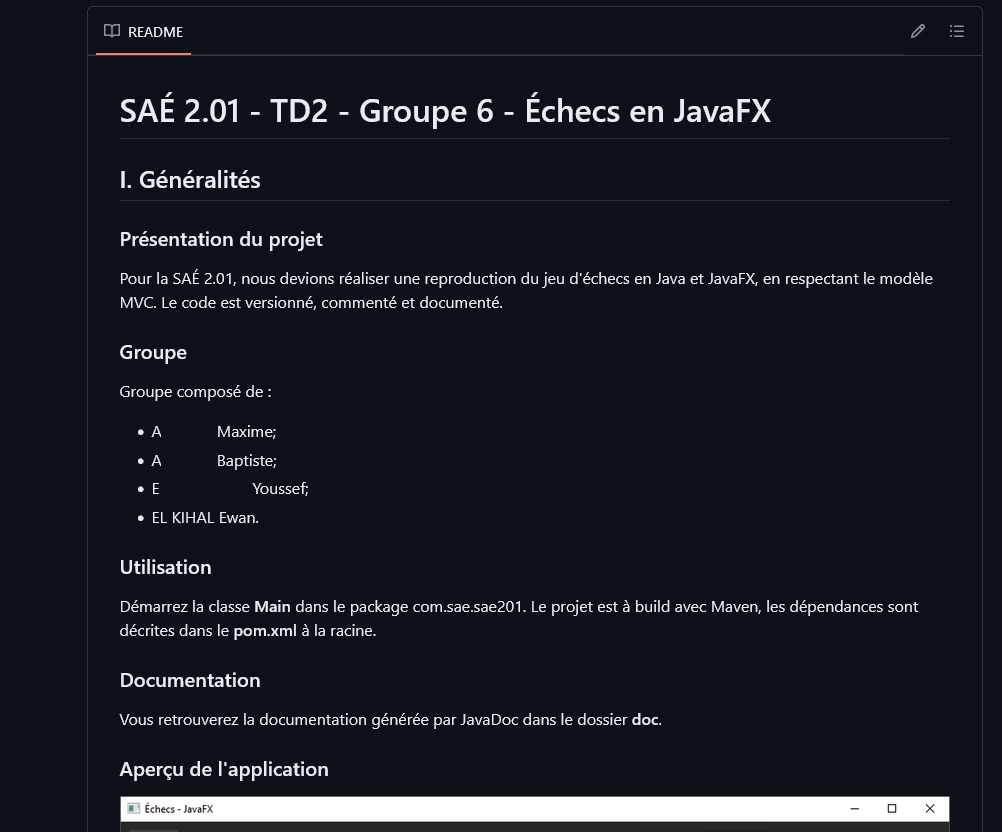
The code was extensively commented using Javadoc comments, versioned with Git (and GitHub), documented with a README and the generated Javadoc documentation, and tested with JUnit. The MVC convention was respected, with a separation between models, views, and controllers, each placed in a distinct package. We also produced analysis and design diagrams, and conducted bibliographic research on ergonomics. You will find images of the project in the gallery.
This project provided me with experience in Java and JavaFX development, collaboration, documentation, unit testing, version control, and adherence to good development practices. I also deepened my knowledge of software architecture.
MVC Model and Code Architecture
The MVC model for Model, View, Controller is a software architecture pattern intended for graphical user interfaces. It is divided into three parts:
- The model, which contains the data and the methods to manipulate it;
- The view, which displays the data and the controls;
- The controller, which manages the interactions between the model and the view.
Models
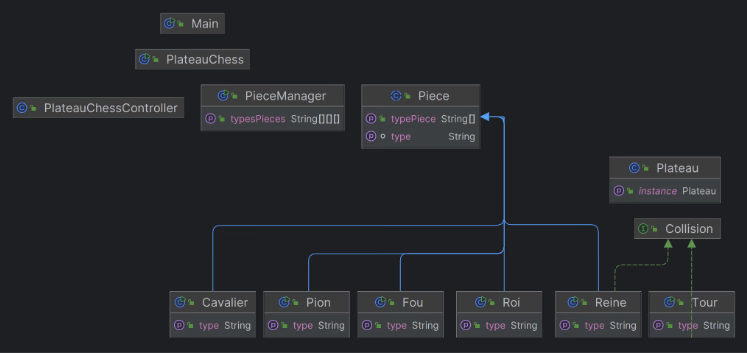
The models were located in the model package. The controllers package, controller, is a sub-package of the parent of model. Among the models, there are 8 classes and one interface.
- The Piece class is an abstract class, with public methods common to all its subclasses, and abstract methods that each subclass implements;
- The subclasses of Piece (Knight, Pawn, Bishop, King, Queen, and Rook) are all pieces that implement, according to the piece they represent, the abstract methods in their own way (which are therefore public here);
- The Collision interface defines the use of the boolean collision function, which is used to detect a collision in the movement of a rook or a queen;
- The Board class is a singleton: it defines the chessboard of the game, and is instantiated only once. Thus, any class that modifies it will modify it for all other usages.
Views
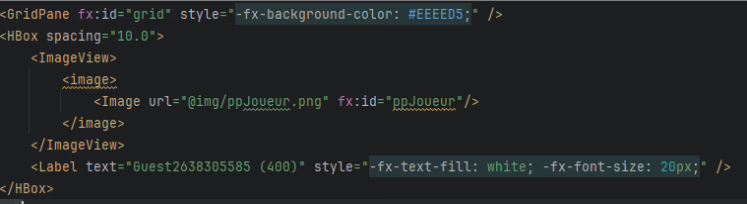
The views were located in resources, in the view package. We used FXML for the main window, as well as CSS for additional styling.
Controllers
Main, ChessBoard, ChessBoardController, and PieceManager are controllers. They are all public classes. The Main class only contains a call to ChessBoard. ChessBoard initializes the startup parameters of the JavaFX application. ChessBoardController is the controller linked to the FXML located in the views folder, and contains methods to initialize the display. ChessBoardController has properties that are not shown on the diagram:
- an instance of PieceManager;
- an integer TILE_SIZE (75 pixels), which corresponds to the size of a square;
- an integer BOARD_SIZE, which corresponds to the size of the board (8, since it is 8x8).
PieceManager generates, from the board in the Board class, a matrix of pieces, each being an object of a subclass of Piece.
Its typesPieces property stores, in a matrix of String pairs, the type of piece in the first position and the color in the second.
Comments and Javadoc
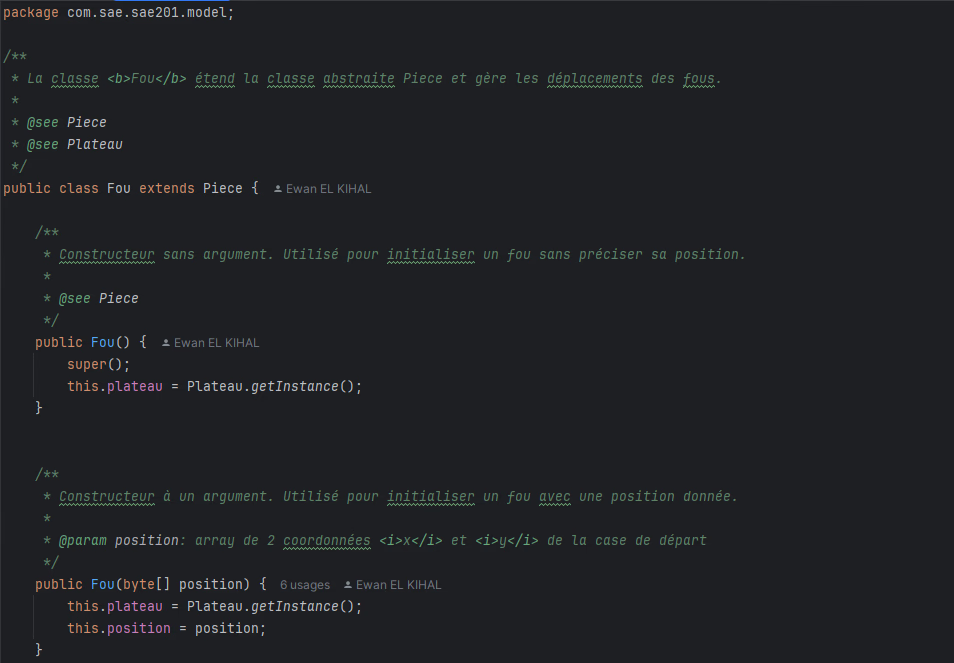
The code was extensively commented, with Javadoc comments for classes, methods, and properties. Javadoc tags are very frequent, as shown in the examples below:
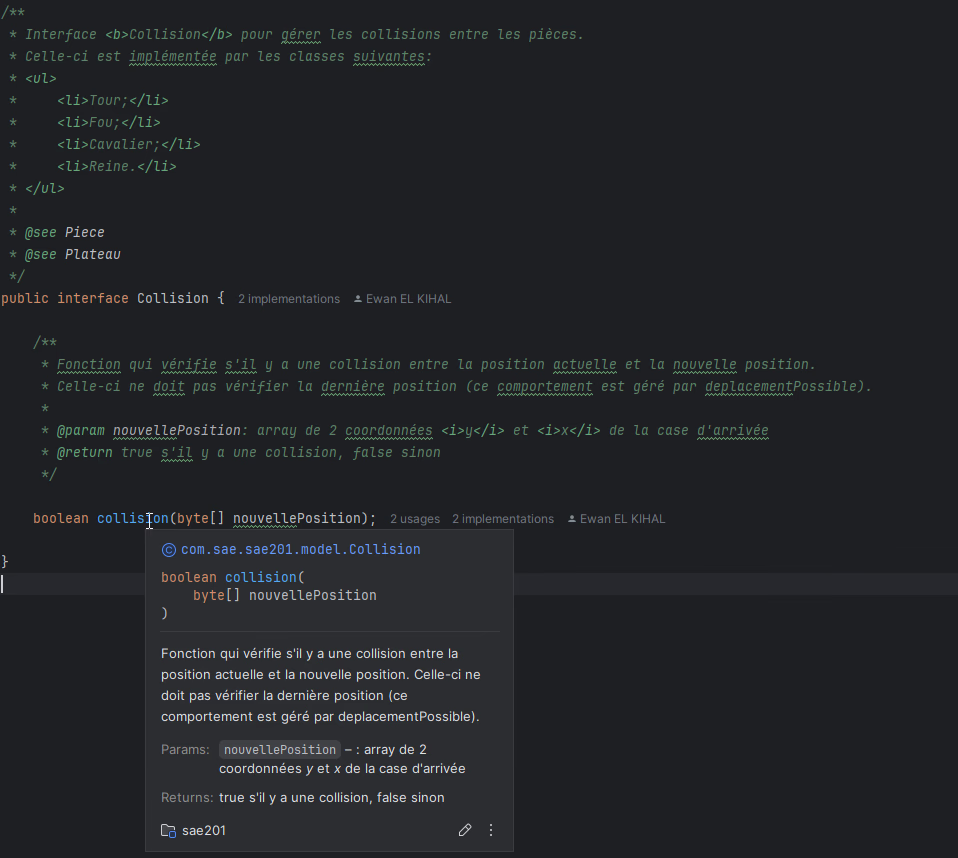
Javadoc
Thanks to the use of Javadoc, we were able to generate HTML documentation for our code.
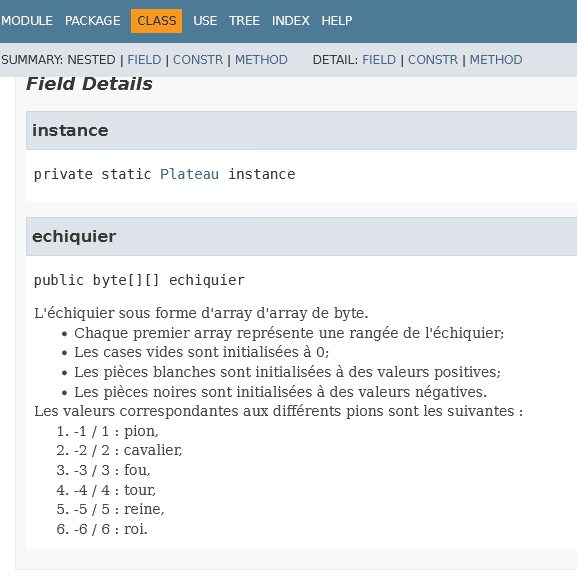
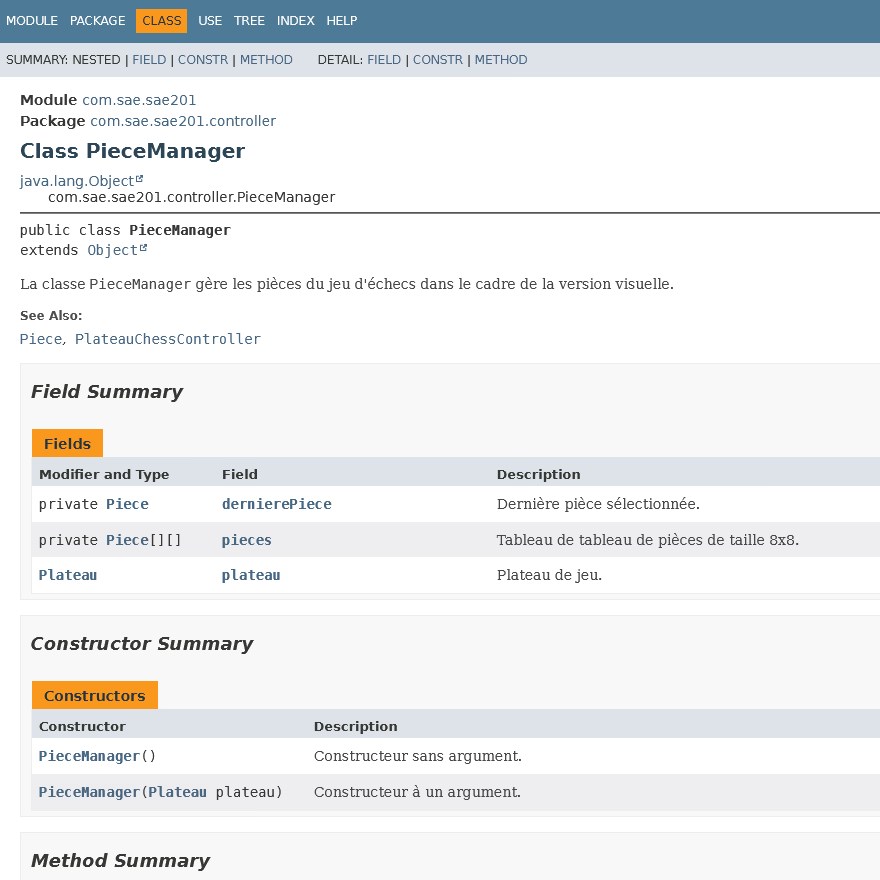
Version control and branches with Git
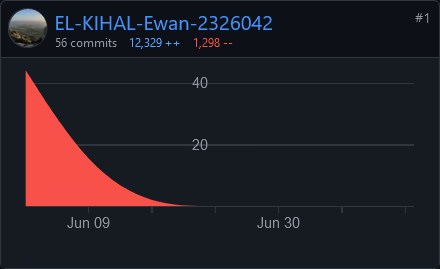
We used Git to version our code. We used branches to work on specific features, and we merged these branches into the main branch, main, when the features were advanced and functional. For this project, we used GitHub to store our code. In this project, I made 56 commits that were ultimately merged into the main branch.
Unit tests with JUnit
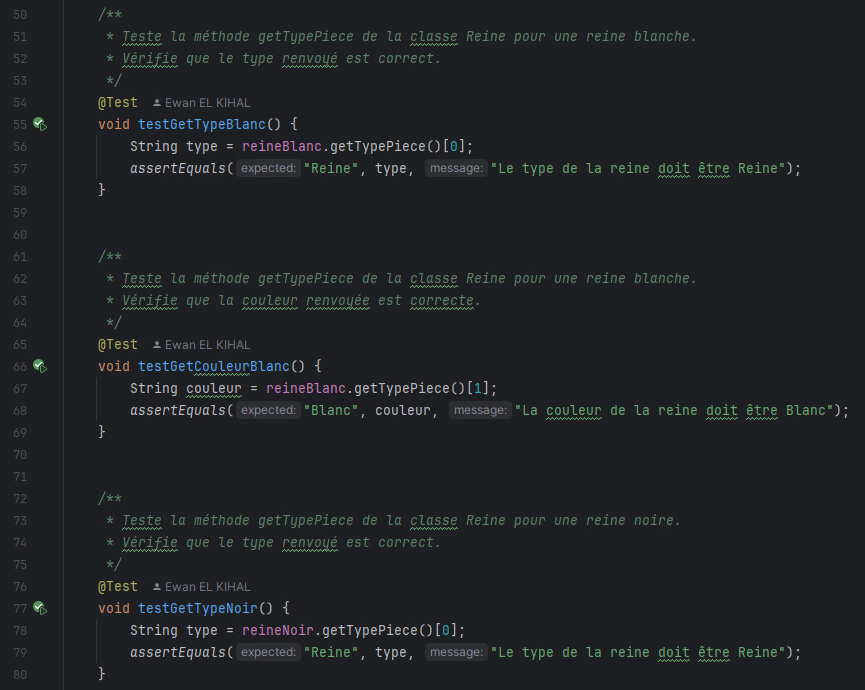
Many unit tests were created for this project by me. These were performed using JUnit, a unit testing framework for the Java programming language. They were commented and made it possible to verify the correct behavior of certain methods in our classes. According to the convention used by Maven, they were placed in a specific “test” folder, and then in packages corresponding to the packages being tested, namely model and controller. For example, the test class below tests the Queen class and is therefore called QueenTest.
Gallery
Final visual